
DMARC Report Reader
DMARC reports,
finally readable.
Every mail receiver on the internet sends you aggregate reports as dense, machine-shaped XML. Open one in DMARC Report Reader and you get the answer instead: what passed, what didn't, and which sender is the problem.
DMARC reports, finally readable.
Every mail receiver on the internet sends you aggregate reports as dense, machine-shaped XML. Open one in DMARC Report Reader and you get the answer instead: what passed, what didn't, and which sender is the problem.
Free to use for the first 20 records of any report.
Download for iPhone, iPad, Vision (iPad version) or Mac
The data is perfect. The format is punishing.
Aggregate reports are beautifully structured — for a parser. Reading one by hand means
counting <record> blocks and cross-checking IPs in your head. This is one record out of
nine in a single day's report from one receiver:
<record>
  <row>
    <source_ip>185.250.237.4</source_ip>
    <count>2</count>
    <policy_evaluated>
      <disposition>none</disposition>
      <dkim>pass</dkim>
      <spf>fail</spf>
    </policy_evaluated>
  </row>
  <auth_results>
    <dkim>
      <domain>openbcm.com</domain>
      <selector>mailjet</selector>
      <result>pass</result>
    </dkim>
  </auth_results>
</record>
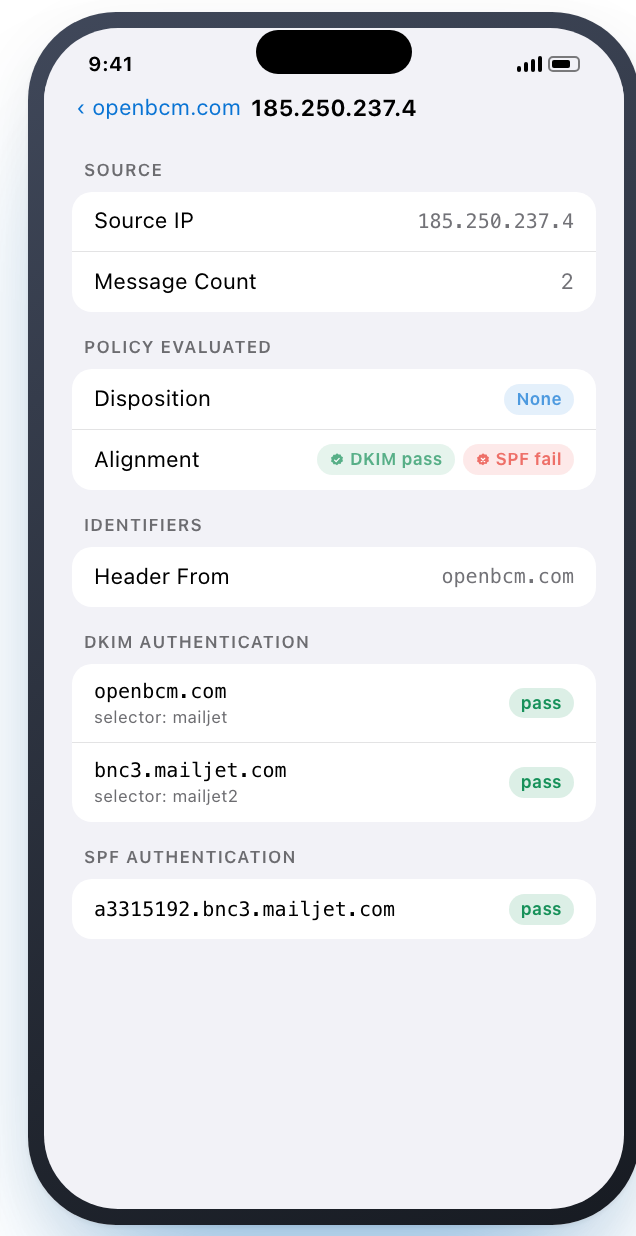
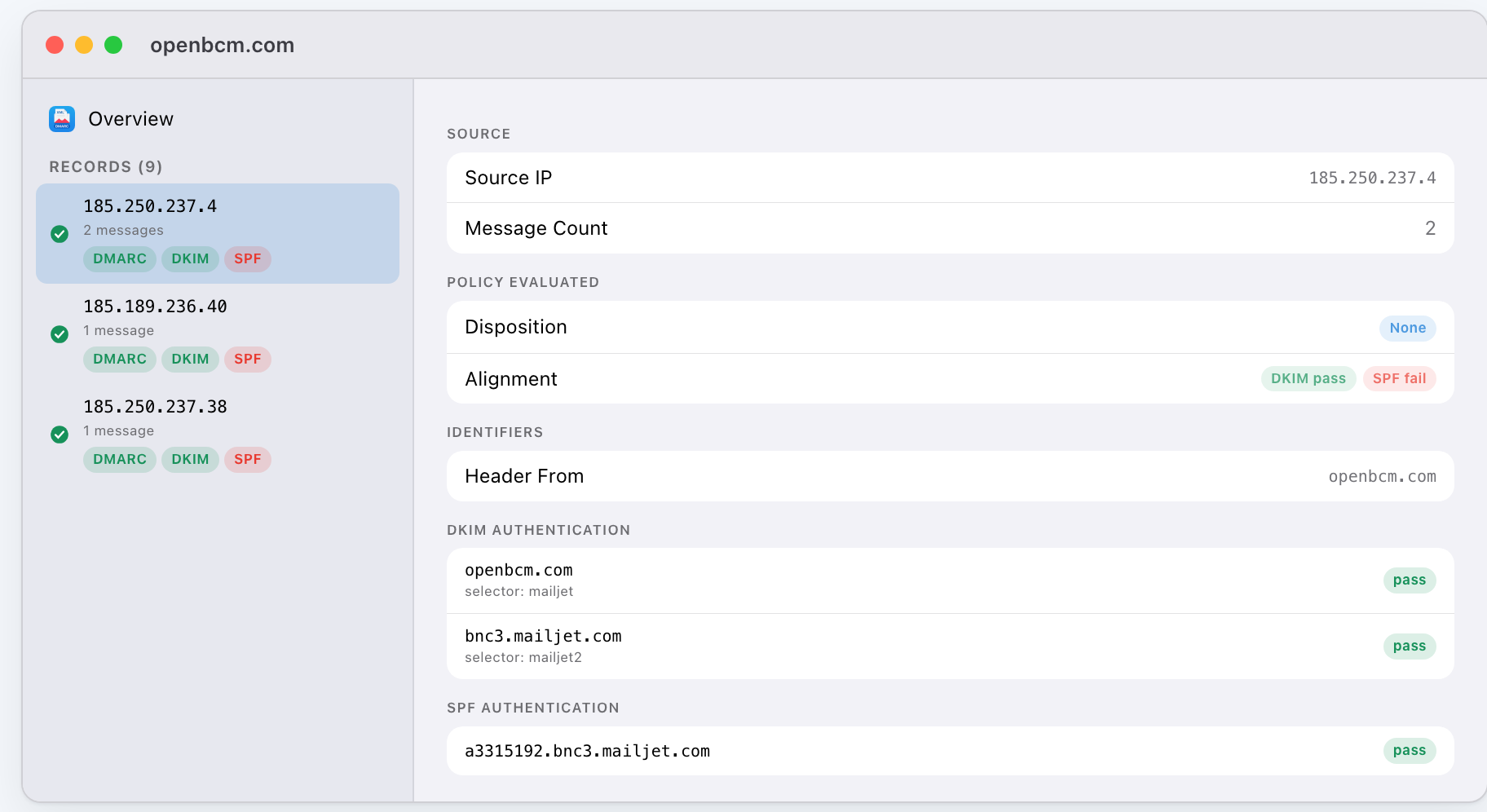
The app reads the same file and tells you that every message is DKIM-aligned, that SPF is failing alignment on a relay, and that nothing is being rejected.
What it does
Opens DMARC aggregate (RUA) reports — the XML <feedback> files that mail receivers such
as Google send to the address in your domain's rua= tag.
- Overview at a glance. Total messages plus DMARC, DKIM and SPF pass counts the moment the file opens, before you read a single record.
- Per-record detail. Source IP, message count, evaluated disposition and alignment, header and envelope identifiers, and the raw DKIM and SPF results, selectors included.
- Published policy, decoded.
p,sp,np,adkim,aspfandpctlaid out in plain language — relaxed versus strict, spelled out. - A real document app. Open reports from Files or Finder, in place. No importing, no
copies, no library to manage. Double-click an
.xmland it opens. - iPhone, iPad and Mac. One native SwiftUI app across every device you own, with a real Mac build — not Catalyst, not an iPad app in a window.
- Read-only by design. The app views reports; it never rewrites them. Your originals stay byte-for-byte what your mail receiver sent.
A look inside
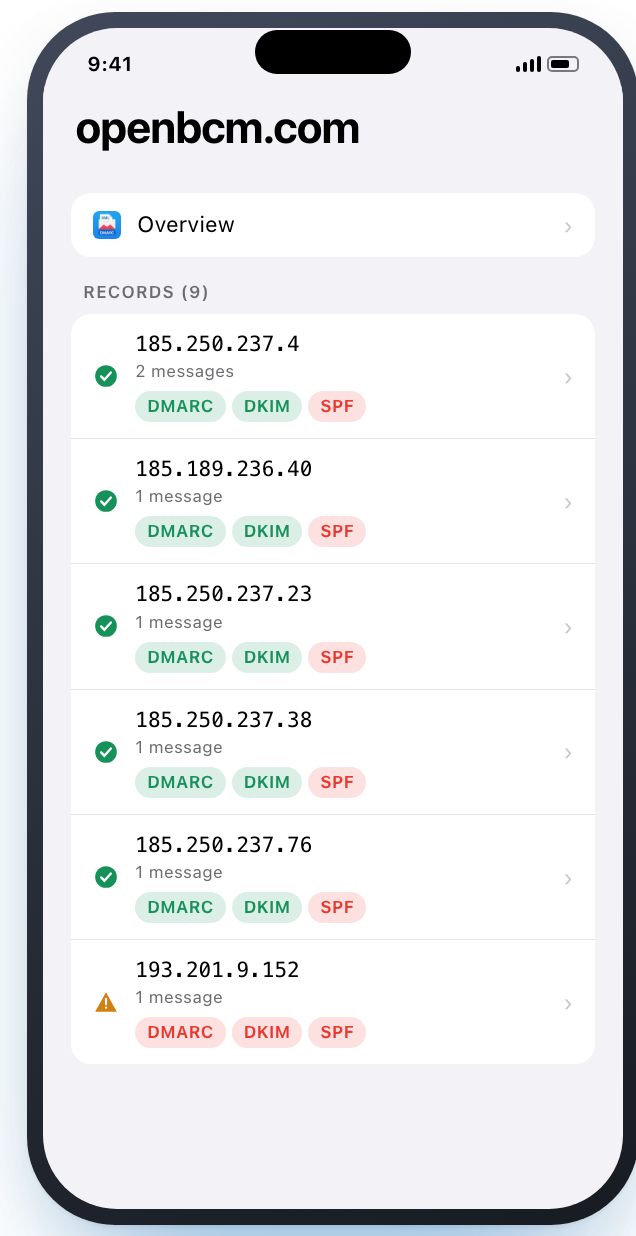
Records — every sending IP, with pass and fail visible before you tap:
Detail — SPF passed, but for the relay's domain, which is why it didn't align:
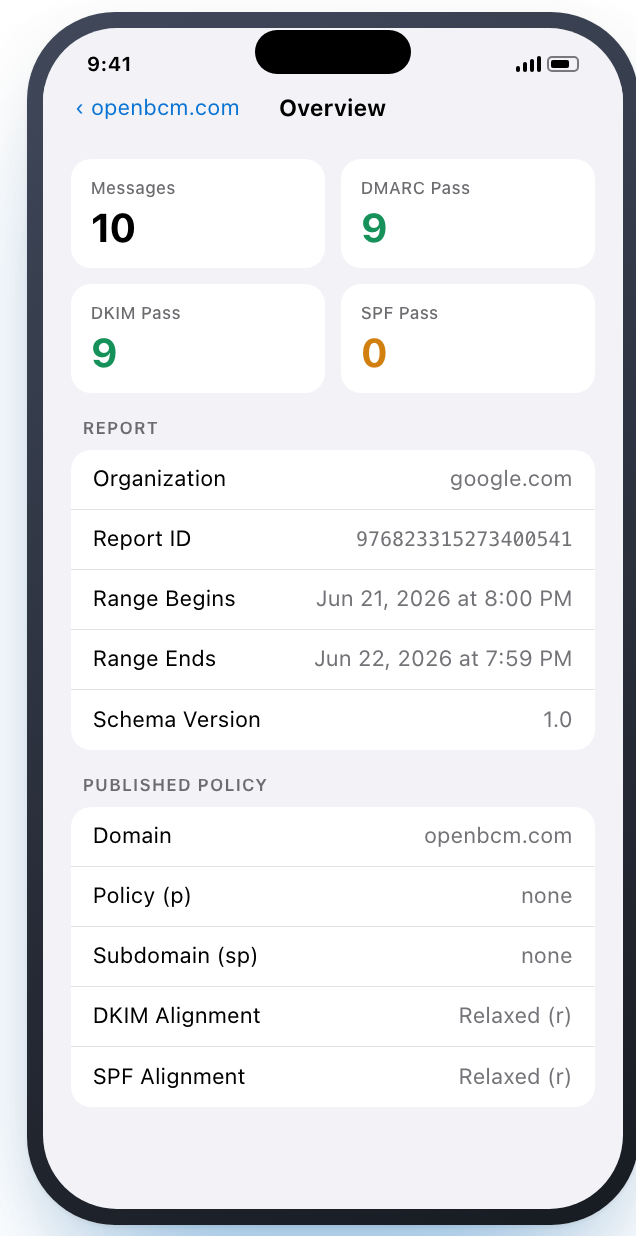
Overview — totals, reporter, date range and the policy you published:
On the Mac, the split view keeps every record one click away:
Privacy
We don't collect anything. Your DMARC reports name your domains, your senders and your infrastructure, and they never leave your device.
- No analytics, no telemetry, no tracking SDKs.
- No account to create and nothing to sign in to.
- Parsing happens entirely on device. No server, no upload.
- The purchase runs through Apple; we never see payment details.
- Even bug reports and feature requests open in your mail app, pre-filled and unsent, so you can read exactly what you're sending us before you send it.
Pricing
No subscription. No trial timer. No pro tier that moves the goalposts next year.
Free — open any DMARC aggregate report, with the full Overview and published policy, and detail for the first 20 records of a report. iPhone, iPad and Mac.
Unlock All Records, $4.99 once — every record in every report, no limit. A single in-app purchase, not a subscription, and it restores on every device using the same Apple Account.
US pricing shown; your local price is set by the App Store in your region.
Questions
What exactly does it open? DMARC aggregate (RUA) reports — the XML <feedback> files
that mail receivers such as Google send to the address in your domain's rua= tag. Point
it at the .xml file; if a report arrives zipped or gzipped, expand it first.
Where do I get these reports? If your DMARC DNS record includes a rua=mailto:
address, they're already arriving there, typically one per day from each reporting mail
receiver.
Can it edit or "fix" a report? No, and that's deliberate. Reports are evidence of what happened to your mail; the app reads them and leaves them exactly as they were.
Why a 20-record limit on the free version? Because for most domains, 20 records is genuinely enough to find the problem. If you run enough mail that it isn't, one $4.99 purchase removes the limit for good.
What do I need to run it? iOS or iPadOS 17 and later, or macOS 14 (Sonoma) and later.
Something's broken, or I want a feature. Use Send Feedback in the app — it drafts an email in your own mail client, so you can read and edit everything before it's sent — or write to support@druware.com.
Stop squinting at XML. Open today's report, find the sender that isn't aligning, and get back to work.
Download on the App Store — free to try, the first 20 records of every report.